
Object Detection with YOLO#
In this workshop, we’ll go through the steps of acquiring images, annotating them, training an object detection model, and testing it in real time on USB microscopes.
        flowchart LR
    A(🔬 Acquisition) --> B(🖌️ Annotation)
    B --> C(🎓 Training)
    C --> D(⚖️ Validation)
    D --> E(🔋 Inference)
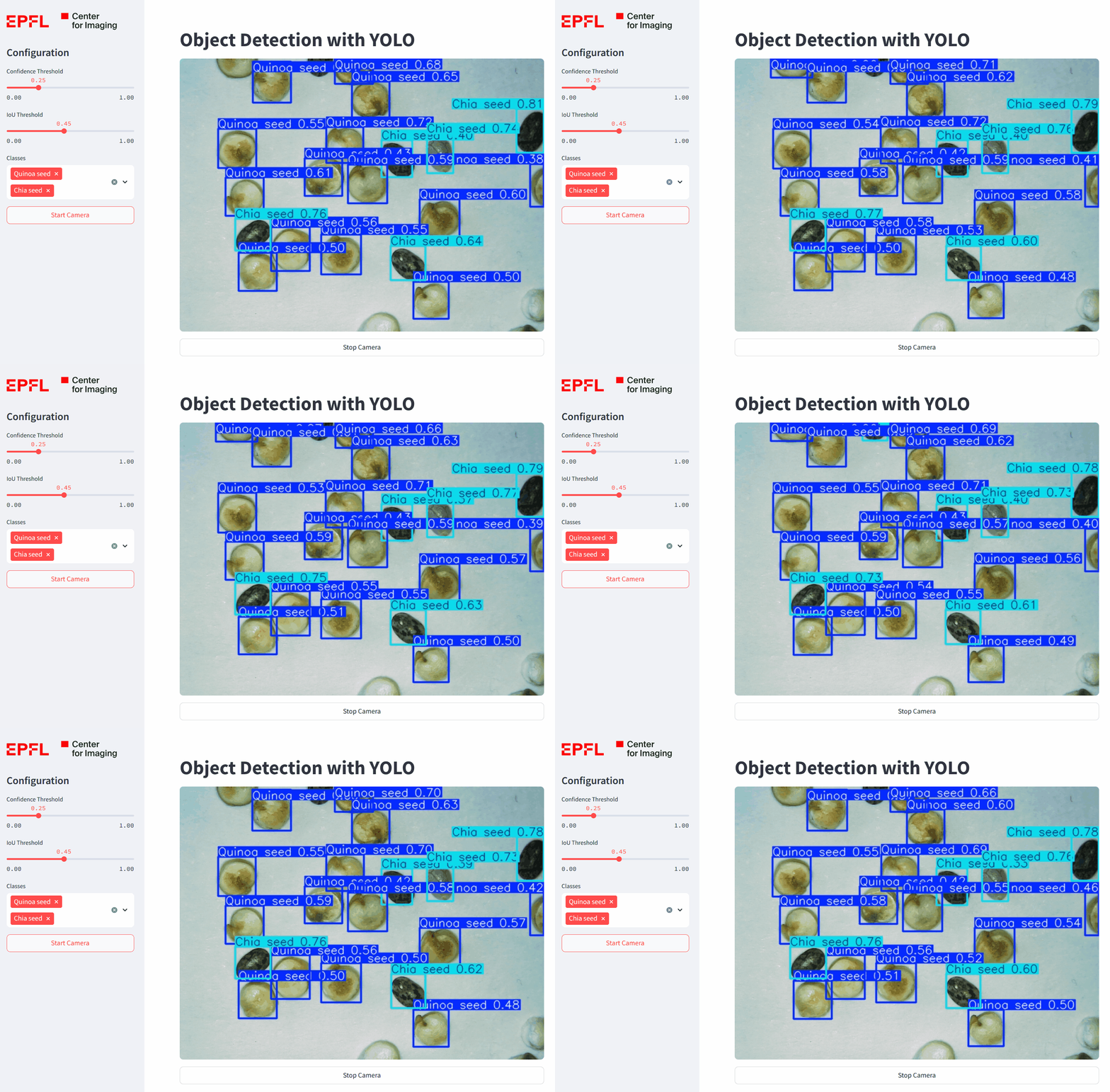
We will implement a system based on a YOLO model, which is a state-of-the-art method for real-time object detection. YOLO models usually offer good performance and require few images for training, making them particularly useful for applications in computer vision and scientific image analysis.
How does YOLO work?
The original YOLO model was designed in 2015 (Redmon et al, 2015); it was a convolutional Neural Network (CNN) that predicted and classified bounding boxes in a single forward pass (hence the name - You Only Look Once), enabling fast, real-time predictions.
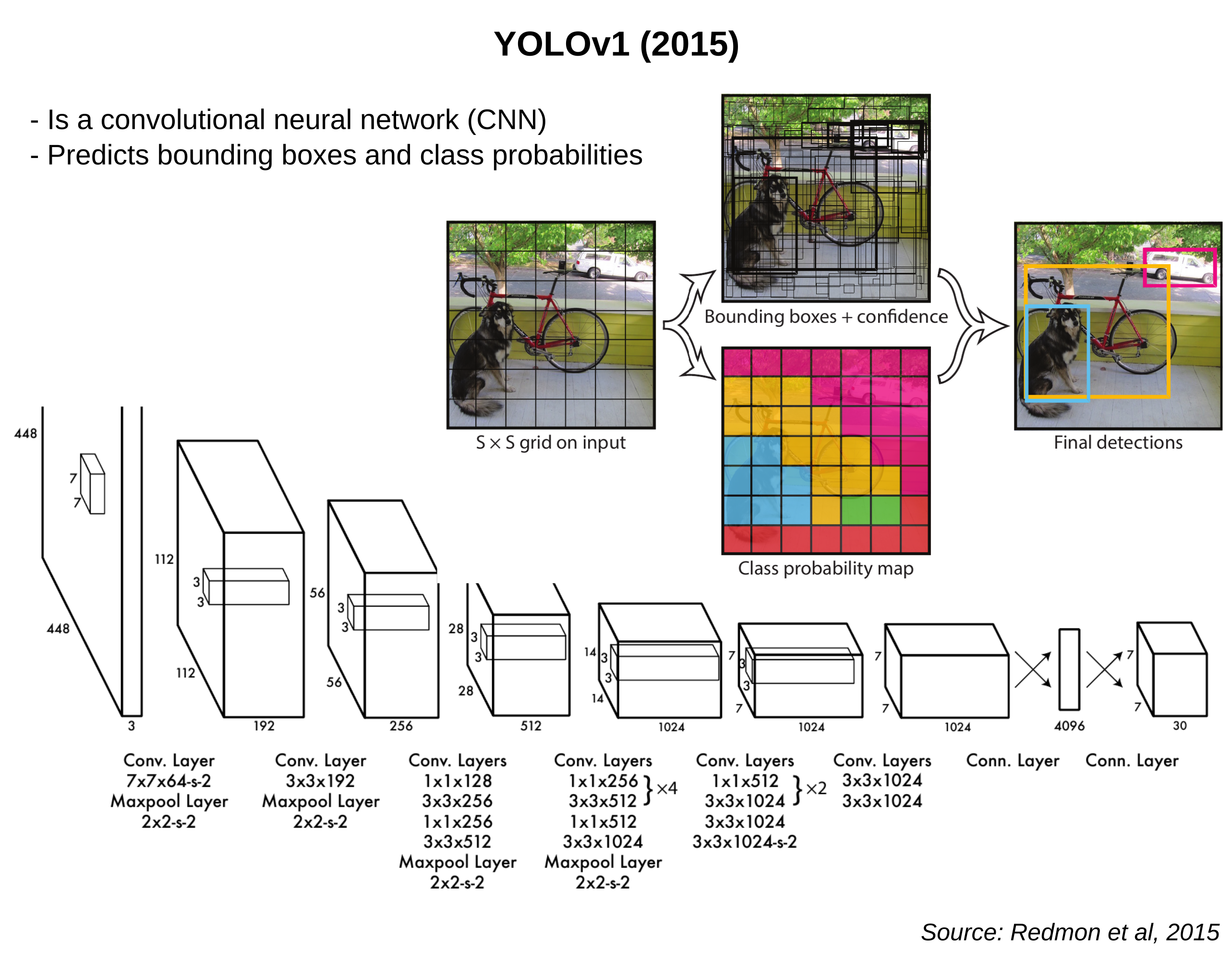
Since then, more modern versions of the model have been developed (YOLOv2, YOLOv3…), introducing architectural changes and improvements to make the model faster, more accurate, and more versatile (Models).
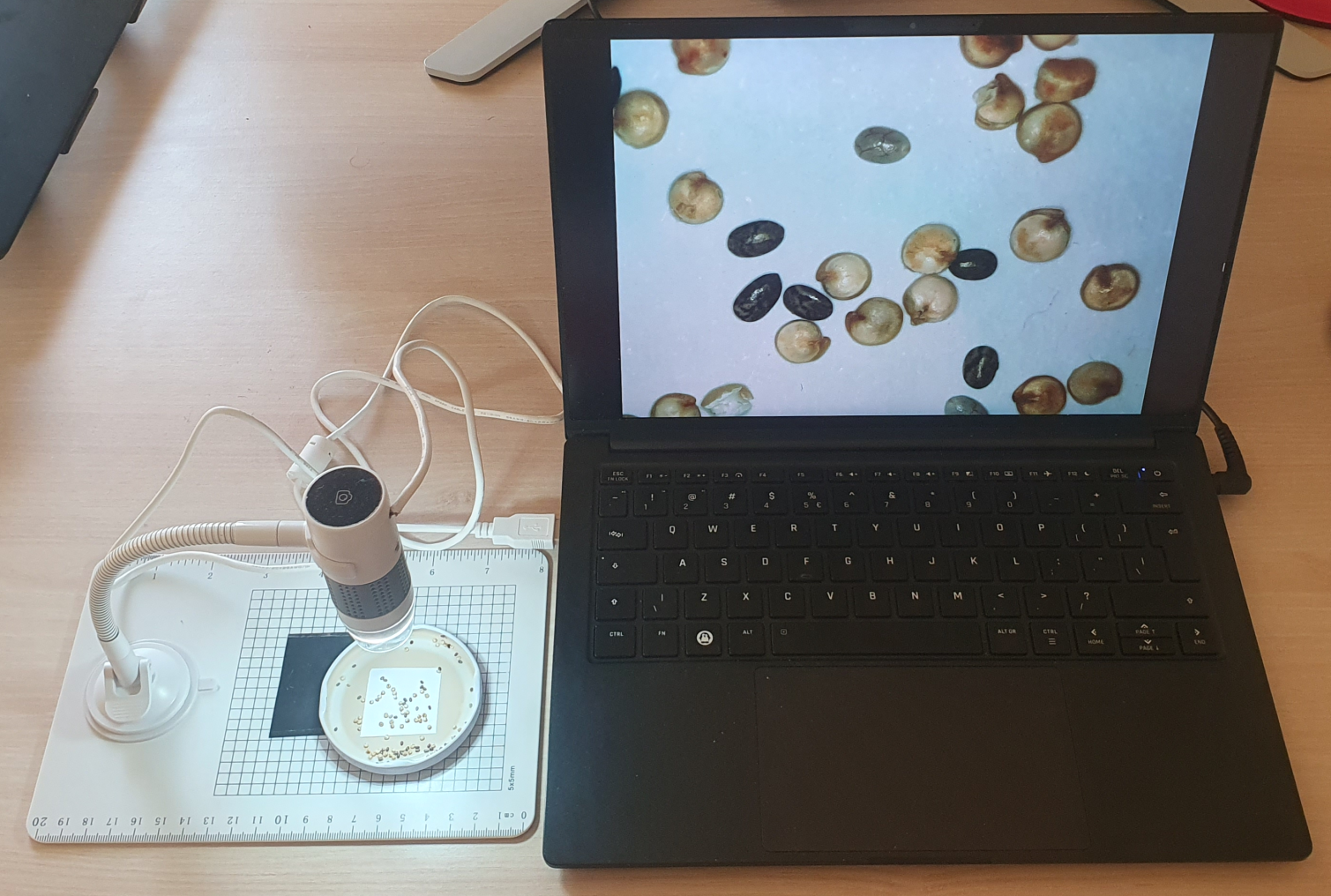
In this workshop, we will train a YOLO model to automatically recognize different kinds of seeds from our kitchen, using a USB microscope as a camera device.
Microscope Setup#
To complete this workshop, you will need:
🔬 A USB microscope (connected via USB-A)
🫘 Some seeds to capture images of (e.g., quinoa, chia)
🐍 Python installed on your system
Test the microscope#
Once plugged in, you should also be able to start the microscope camera and capture images.
Open the Camera app from the start menu. By clicking on the camera icon at the top-right (“Switch camera”), you should be able to select the USB microscope as an input device instead of your webcam.
Open the Photo Booth app from the Applications folder. In the Settings, you should be able to select the USB microscope as an input device instead of your webcam.
Install Cheese using
sudo apt install cheese.Launch it from the terminal with the
cheesecommand.In the Preferences, you should be able to select the USB microscope as a device instead of your webcam.
Now that you’re set up, let’s dive in - starting with acquiring some training images.